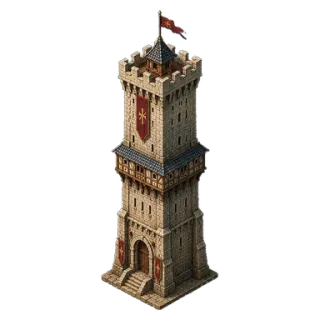
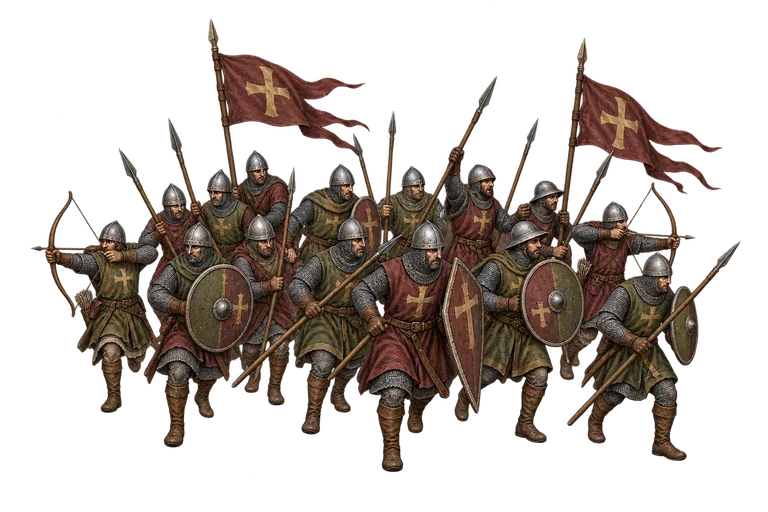

Start here
- Collect purple Crown pickups and check the wallet beneath Gold.
- Open Shop → Skins to inspect the Halloween City offer.
- After unlocking it, select it in Profile → Skins → Cities and press Apply.
City skins change appearance. They add no attack, defense, production or travel bonus.
Earn Crowns on the map
Each purple Crown pickup grants exactly one Crown. You can collect up to 20 per UTC day, all year. Gold, troop and Crown pickups rotate in that order, skipping any type whose daily allowance is exhausted. The separate daily limits are 30 Gold, 30 troop and 20 Crown pickups, for up to 80 collections.
Only one pickup is active at a time. The first appears after two minutes; a successful collection starts the next two-minute wait. A pickup expires after 20 minutes. A failed collection does not consume your active pickup. Gold and troop pickups keep their own production-based rewards; production bonuses do not turn a Crown pickup into several Crowns.
In a fictional saving plan starting at zero, 600 Crowns requires 30 days at the full 20-Crown daily allowance. Missing a day slows saving without removing your balance. The calendar and the offer’s closing time matter: do not assume a newly started account can finish before the October sale ends. Daily Quests and their completion chest do not award Crowns.
Five stages, one unlock
Halloween City follows your regular cities as they grow, from timber settlements to stone castles with pumpkins, warm windows and muted purple details. The single unlock includes all five visual stages; you do not buy a new skin at each level milestone.
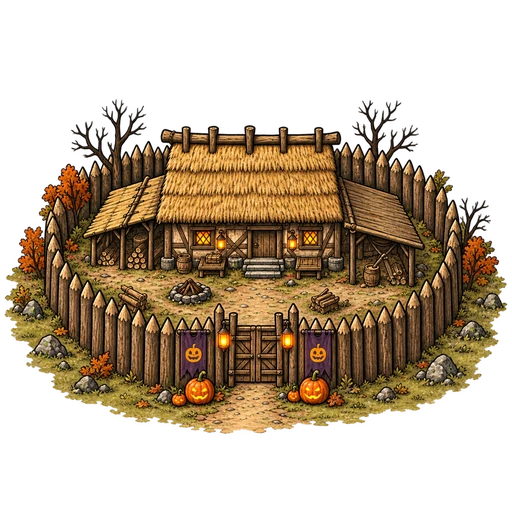
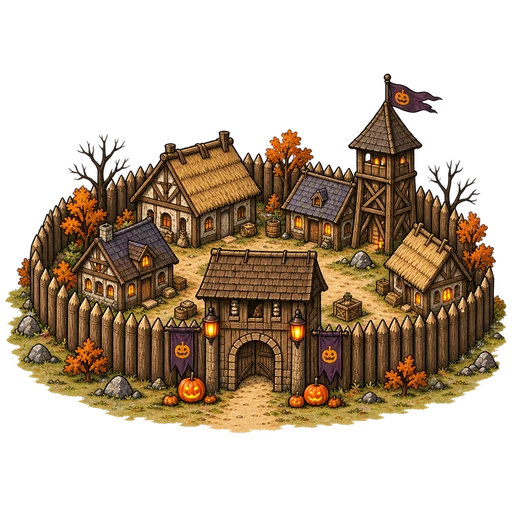
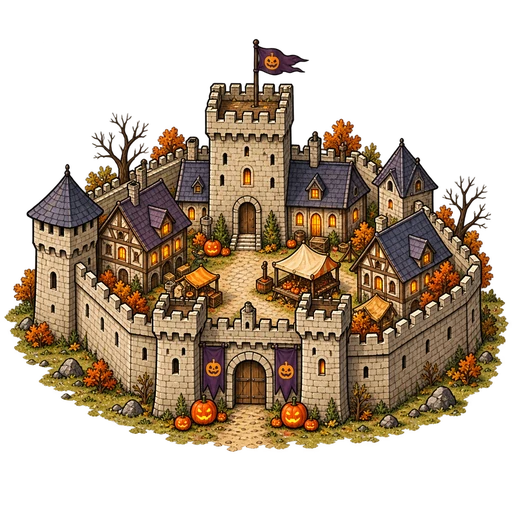
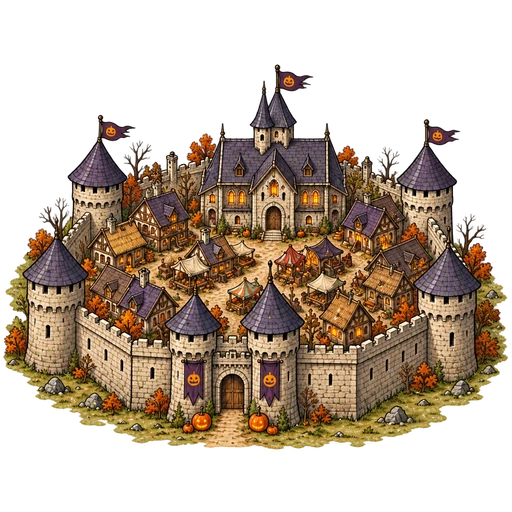
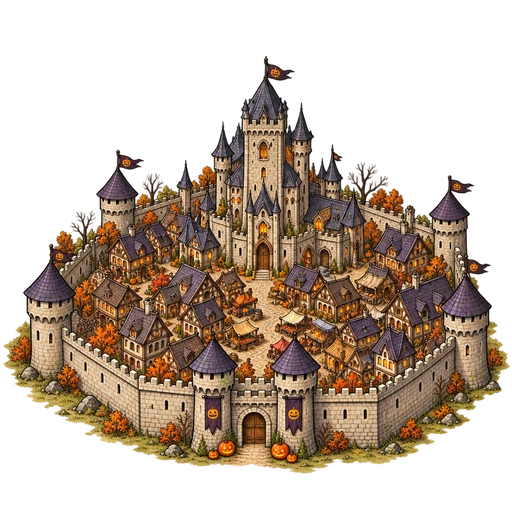
Official artwork from the web build reviewed October 4. These are isolated game illustrations, not screenshots of a player’s kingdom. Decorative bats may be reduced or hidden by motion preferences, map movement or crowded views.
Review the seasonal offer
Halloween City costs 600 Crowns in Shop → Skins. Its recurring sale runs from October 1 at 00:00 UTC until November 1 at 00:00 UTC, exclusive. Inspect the displayed price and remaining balance before confirming. The current collection contains the city skin; troop skins, paid flag symbols, borders and a collection bundle are not current offers.
Buying unlocks ownership without equipping the skin. It does not create an item in the Bag. If the offer or your balance changes, refresh the quote instead of repeating an old confirmation. An already-owned item does not need another purchase.
Crown packs appear in Shop only when purchases are enabled for your account. Review the current pack, price and purchase terms before confirming Checkout. A verified paid order credits the same playable Crown wallet used for cosmetics and stamina refills; sandbox currency remains separate.
Select, then Apply
- Open Profile → Skins → Cities.
- Select an owned city skin to preview it.
- Press Apply to equip the selection.
- Check a regular city on the map. Captured cities adopt their current owner’s equipped look too.
Selection alone changes the preview. Apply changes the equipped appearance visible to other players. To restore the original artwork, select Default City and press Apply; this also removes the skin’s bats. Strongholds, Camps, Towers and the Citadel keep their established artwork.
Ownership markers, flags, city levels and intelligence rules remain meaningful. A different-looking castle is not evidence of a different garrison or an extra defense bonus. Scout and inspect the holding as you normally would.
Review a stamina refill
The compact yellow stamina bar sits beside Gold and Crowns. Its refill icon opens a review; opening it spends nothing. Hunting uses 10 stamina per participating player, and stamina recovers by one point every 12 minutes, including offline, up to 100.
When hunting is available, a refill restores the missing stamina for a proportional Crown price: multiply the missing amount by 30/100 and round up to the next whole Crown. Refilling from 0 costs 30 Crowns, from 70 costs 9, and from 99 costs 1. At 100, refilling is unavailable. The review shows the exact amount restored and remaining Crown balance before you confirm.
One successful paid refill is allowed per account per UTC day, resetting at 00:00 UTC. This allowance and stamina persist across maps, devices and seasons. If Crowns are insufficient, the refill review can open Shop when Crown purchases are enabled for your account. Buying Crowns does not automatically buy a refill or send an army. Return to your preserved attack draft and explicitly Send or Launch when ready.
What stays with your account
Your Crown balance, owned city skins and equipped selection survive season resets. The sale window limits new purchases, not how long you may use an owned skin. Switching among owned city skins and Default City is free.
Crowns cannot be transferred to another ruler, traded or converted into Gold or troops. A season reset does not refresh an already-used Crown pickup allowance within the same UTC day. If the wallet is still loading, wait for its confirmed value before planning a purchase.